
Japan IC Card: Suica, PASMO and ICOCA Explained
The question is not which card to buy but whether your phone can hold one. Suica, PASMO and ICOCA work identically for a visitor, and all of them ride the same national network. What separates a smooth first hour from a queue at the airport is your handset, your card brand and which terminal you land at.
| Same card | Suica, PASMO and ICOCA are interchangeable across ten networks. |
|---|---|
| iPhone | Welcome Suica Mobile issues in seconds, with no registration. |
| Android | Buy a physical card at the airport instead. |
| Topping up | Physical cards take cash only, mobile takes cards only. |
| Refunds | Visitor cards never refund the balance, so spend it before you fly. |
1. The choice is where you put it
2. Suica, PASMO and ICOCA are the same card
3. Whether your phone can hold one
4. Welcome Suica Mobile has no registration
5. The standard Mobile Suica is a different thing
6. Topping up works in reverse
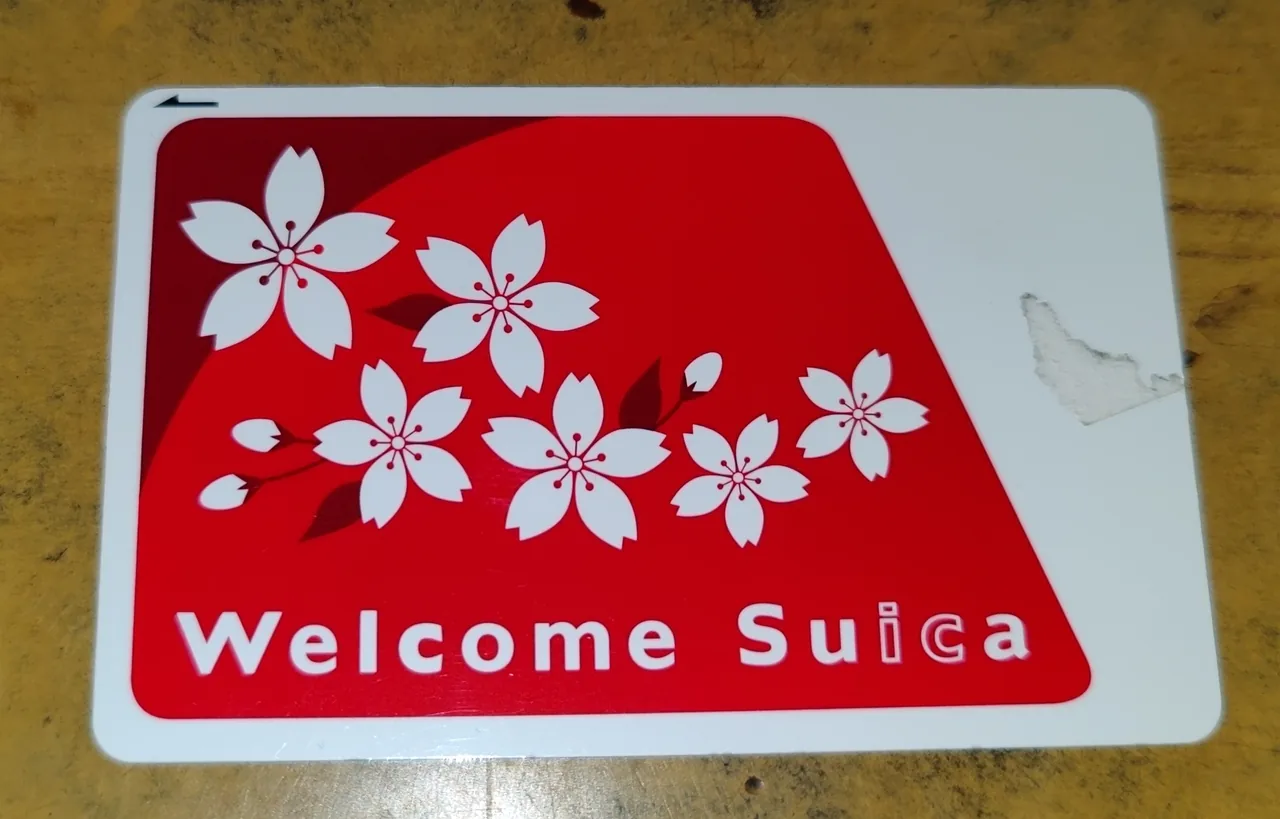
7. The physical Welcome Suica lasts 28 days
8. TOURIST PASMO is sold at the airports only
9. Unregistered cards carry a ¥500 deposit
10. The ceiling is ¥20,000, and it moves this autumn
11. Shinkansen: non-reserved seats only
12. You cannot cross area boundaries in one journey
13. Where the card stops working
14. What else you tap for
15. Getting your money back at the end
16. When the gate closes on you
17. Children need their own card
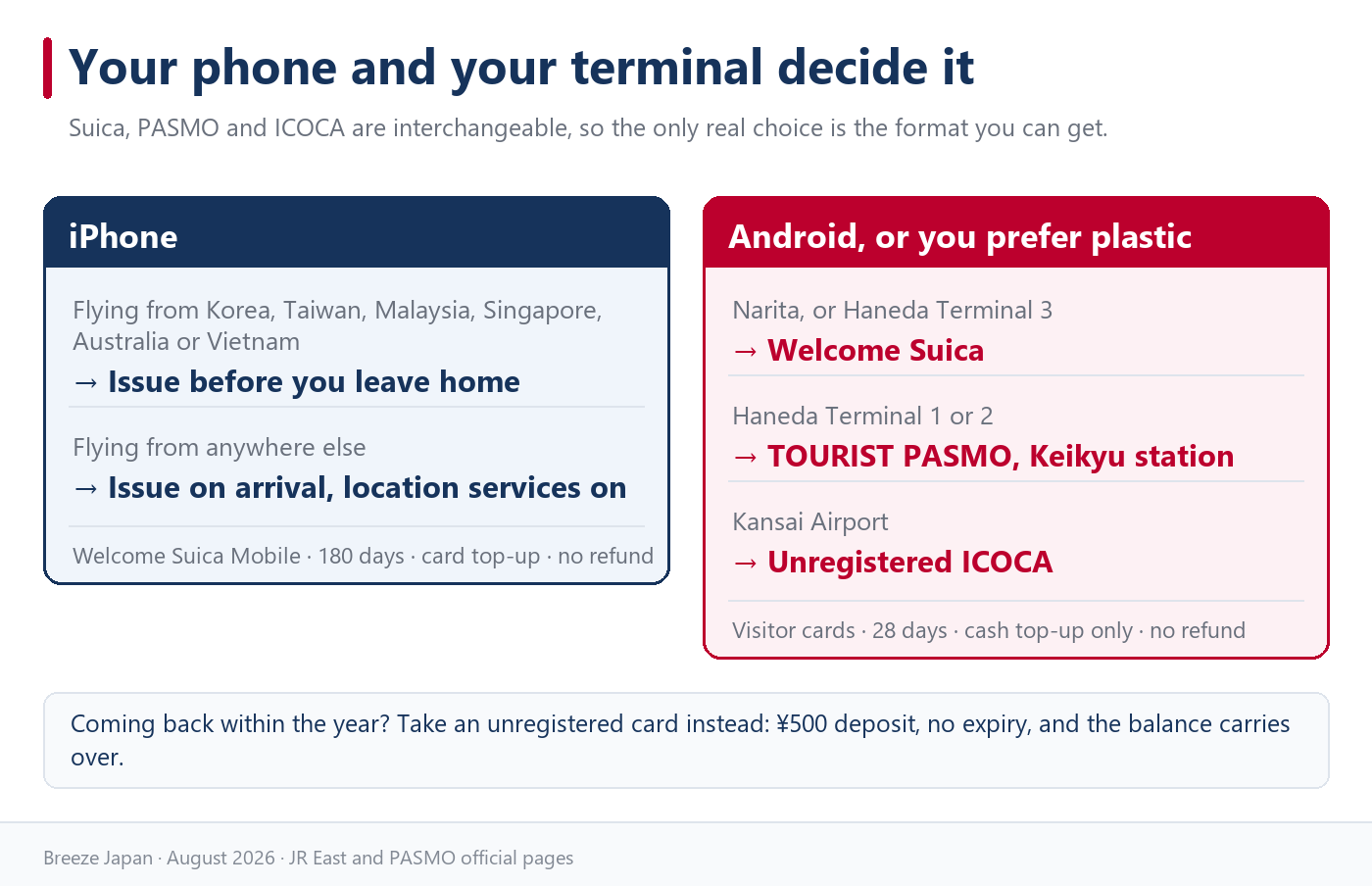
18. Choose by your phone and your terminal
1. The choice is where you put it
Every version of the Japanese IC card does the same job, so the only real decision is which format you can actually obtain. Tap in, tap out, tap to pay at a shop. What changes between the options is issuing, topping up and whether you get your money back.
| Your situation | What to get |
|---|---|
| iPhone | Welcome Suica Mobile, issued on arrival |
| Android bought outside Japan | A physical card at the airport |
| Landing at Haneda Terminal 1 or 2 | TOURIST PASMO at the Keikyu station |
| You come to Japan often | An unregistered Suica with the ¥500 deposit |
Why the card name does not matter
Ten IC cards share one national arrangement, accepted by more than 330 operators. A Suica bought in Tokyo works on the Osaka subway, and an ICOCA bought in Kyoto works on the Yamanote Line.
So buy whichever one the machine in front of you dispenses. Travellers lose more time hunting for a specific logo than they ever save by holding the “right” one.
What actually differs
The differences sit in three places: whether there is a deposit, whether the balance can be refunded, and whether you can top up with a card or only with cash. Those three answers are what the rest of this guide is about.
They matter more than they sound. A visitor card that cannot be refunded means the last ¥800 on it is gone unless you spend it, and a card that only takes cash means you need yen in your pocket on day one.
2. Suica, PASMO and ICOCA are the same card
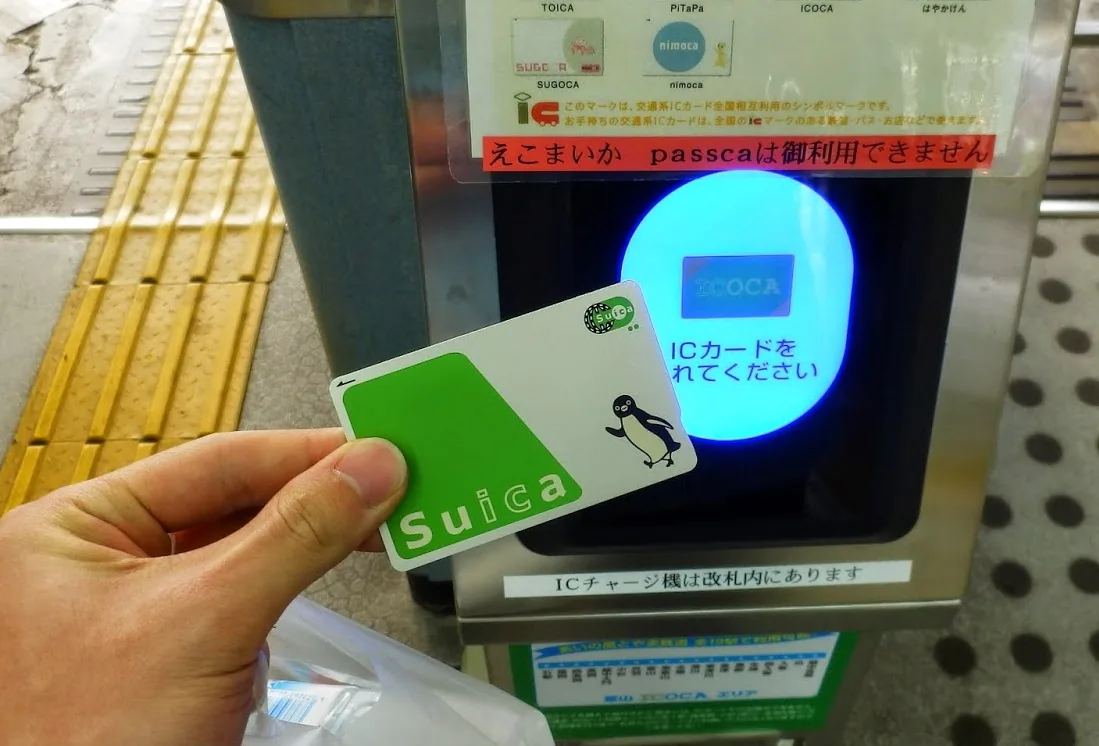
The names are regional branding on a single system. Each was issued by a different railway company, and since the national interoperability arrangement they all work in the same places.
| Card | Issued by |
|---|---|
| Suica | JR East, Tokyo and the north-east |
| PASMO | Tokyo private railways, subways and buses |
| ICOCA | JR West, Kansai |
| TOICA, manaca | JR Central and Nagoya |
| Kitaca, SUGOCA, hayakaken, nimoca | Hokkaido and Kyushu |
| PiTaPa | Kansai private railways |
PiTaPa is the one exception
PiTaPa is postpaid and requires a credit check in Japan, so it is not something a visitor can get. That is fine, because every other card rides PiTaPa-area trains and buses without trouble.
The one place it bites is shopping. Shops in the PiTaPa area do not accept the other cards as electronic money, so a Suica that pays for everything in Tokyo may be refused at a Kansai counter even though it opened the ticket gate an hour earlier.
Buy whatever is in front of you
Since the function is identical, availability is the whole decision. Land at Narita or Haneda and you will be offered Suica-family cards; land at Kansai and ICOCA is what the machines sell.
Nobody at a gate or a till will care which logo is on your card. The staff look at the balance, not the brand.
3. Whether your phone can hold one
Before anything else, work out whether your handset can carry a Japanese transit card at all. This is the fork in the road, and it falls along iPhone and Android lines.
| Device | Can it hold a Japanese IC card? |
|---|---|
| iPhone 8 or later | Yes, through Apple Wallet |
| Apple Watch Series 3 or later | Yes |
| Android sold in Japan | Yes, with Osaifu-Keitai |
| Android sold elsewhere | Usually not |
The Android problem
Japanese mobile transit runs on FeliCa, and Android handsets sold outside Japan generally lack the Osaifu-Keitai support that mobile Suica and mobile ICOCA require. Some models sold in other Asian markets include it, but most phones bought in Europe, North America or Australia do not.
If you are on Android, plan for a physical card from the start rather than standing in an arrivals hall discovering it. The card costs nothing extra and works identically.
iPhone owners still have two options
Apple Wallet can hold either the visitor version of Suica or the standard one, and they behave differently on registration, validity and refunds. The next two sections take them one at a time.
For a normal holiday the visitor version is the simpler path. It exists specifically so that someone who lands, opens an app and taps through a gate never has to create an account.
4. Welcome Suica Mobile has no registration
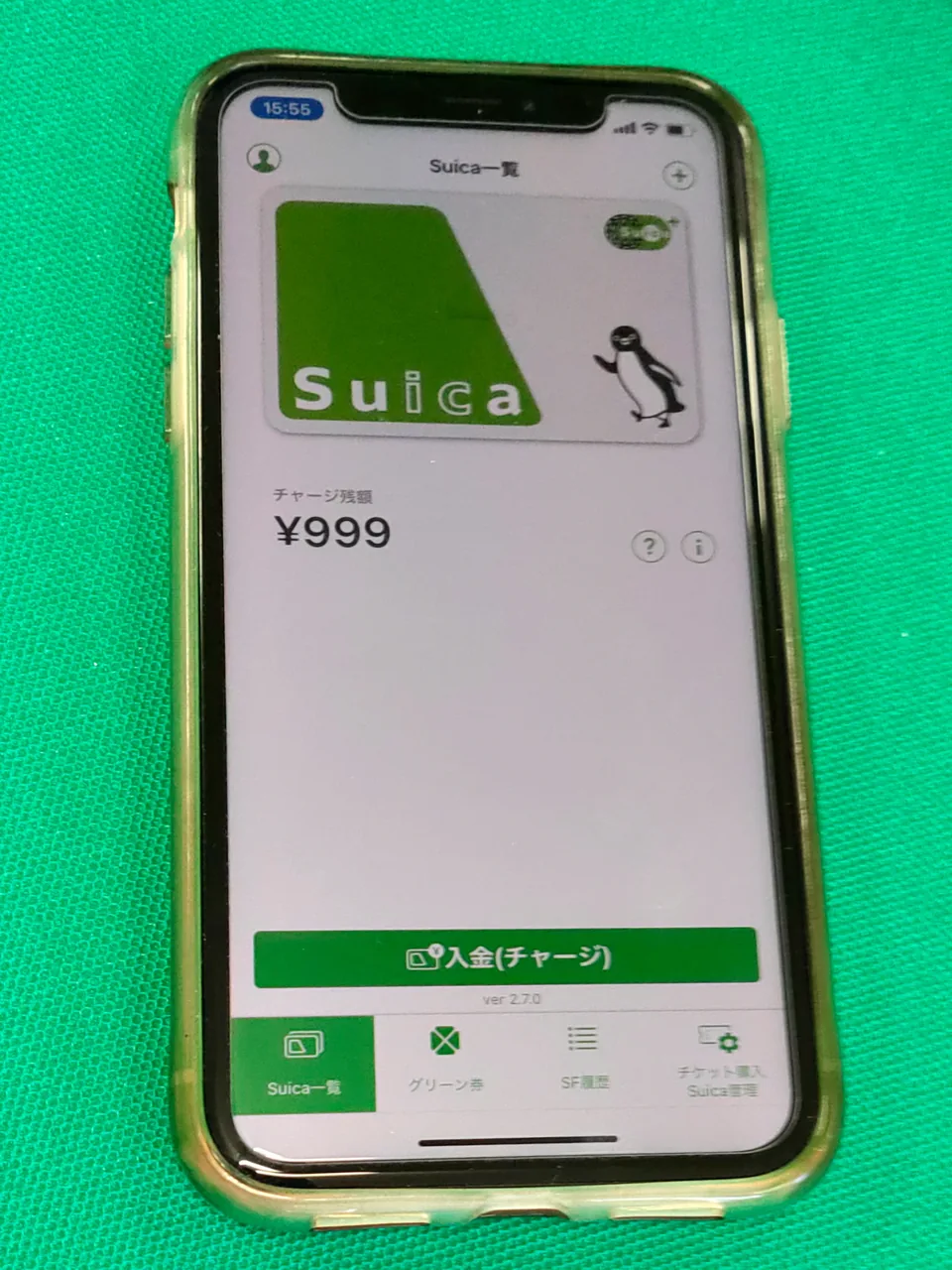
Welcome Suica Mobile is JR East’s app for visitors, and it issues a Suica in under a minute with no account. You set a secret keyword and the card appears in your Wallet.
| Item | Detail |
|---|---|
| Registration | None |
| Validity | 180 days from issue |
| Topping up | Credit card registered with Apple Pay |
| Refund | None |
| Devices | iOS 17.2 or later, Apple Watch Series 3 or later |
Most visitors cannot issue it before landing
JR East lists the countries where the card can be issued before you enter Japan: South Korea, Taiwan, Malaysia, Singapore, Australia and Vietnam, current as of March 2025. Anywhere else, the app will not issue until you are in the country.
So if you are flying from the UK, the US, Canada or continental Europe, plan to do this on arrival. Turn on location services, open the app after landing, and issue the card while you are still walking to the train.
Location services are not optional
The app refuses to work with location services off, for issuing and for topping up alike. This is the single most common reason it appears broken at an airport.
Turn off aeroplane mode, allow location, then reopen. If it still refuses, you are almost certainly in a country outside the list above and need to wait until you land.
180 days is longer than the plastic
The physical Welcome Suica lasts 28 days; the mobile version lasts 180 from the day you issue it. A second trip within six months uses the same card.
When it does expire, the app stays on your phone and issues a fresh one. Nothing needs reinstalling.
5. The standard Mobile Suica is a different thing
Apple Wallet can also add a plain Suica, and it is not the same product as the visitor app. Confusing the two is why some travellers end up stuck in a registration flow at the airport.
| Welcome Suica Mobile | Standard Mobile Suica | |
|---|---|---|
| Registration | None | Account required |
| Validity | 180 days | No expiry |
| Refund | None | Possible |
| Commuter and Green tickets | Limited | Available |
Which one suits a holiday
For a trip of a few weeks, the visitor app wins on simplicity. There is no account to create, no address to enter, and nothing that can fail during setup.
The standard version is the better choice if you are staying for months, want commuter passes, or care about recovering the balance at the end. Those are not holiday concerns.
Keep only one active card
If your Wallet holds more than one Suica, only the card set as Express Transit opens gates automatically. The others sit there doing nothing.
If your balance stops falling as you travel, that is usually what has happened: the wrong card is set as Express Transit. Check the Wallet settings rather than assuming the gate misread you.
6. Topping up works in reverse
The physical visitor card takes cash and not credit cards; the mobile card takes credit cards and not cash. Getting this backwards is what strands people at a ticket gate on day one.
| Card | Cash | Credit card |
|---|---|---|
| Welcome Suica Mobile | No | Card registered with Apple Pay |
| Welcome Suica, physical | Yes | No |
| Unregistered Suica or PASMO | Yes | Not at ticket machines |
| TOURIST PASMO | Yes | No |
Foreign-issued cards are the weak point
JR East does not publish a list of accepted card brands. Its guidance says to contact Apple if a card in your Wallet will not pay, and to ask your issuer whether the card can be registered with Apple Pay at all.
Travellers have reported foreign-issued cards being refused for Suica top-ups, and the pattern has varied by brand and by year. Treat the mobile route as the convenient option rather than the guaranteed one, and know what you will do if it fails.
Cash never fails
Feeding yen into a physical card works everywhere: station ticket machines, fare adjustment machines, convenience stores and the Seven Bank ATMs inside 7-Eleven. There is no brand, no issuer and no authorisation involved.
Withdrawing a small amount of yen at the airport therefore solves two problems at once. It covers the card and it covers the places that still refuse foreign cards outright.
7. The physical Welcome Suica lasts 28 days
If you are on Android, or you would rather not depend on a card top-up working, the physical Welcome Suica is the straightforward answer. There is no deposit, so there is nothing to return.
| Item | Detail |
|---|---|
| Validity | 28 days including the day of purchase |
| Deposit | None |
| Refund | None |
| Amounts sold | ¥1,000 / 2,000 / 3,000 / 4,000 / 5,000 / 10,000 |
| Limit | One card per person as a rule |
The expiry date is not on the card
JR East states plainly that the GOOD THRU date printed on the back is not the validity period. The real expiry appears only on the reference paper handed over at purchase.
Keep that slip. If you lose it, you can reprint it at ticket machines inside the Suica area or ask station staff, but it is easier not to throw it away with the receipt.
It is only sold in certain places
JR EAST Travel Service Centers sell it at Narita Airport, Airport Terminal 2, Haneda Airport Terminal 3, Tokyo, Shibuya, Shinjuku, Ikebukuro, Ueno, Yokohama and Sendai. Dedicated Welcome Suica machines stand at Narita Airport, Airport Terminal 2 and Haneda Terminal 3.
Note what is missing: Haneda Terminals 1 and 2. If your flight arrives there, the next section is the card you want.
There is a long-stay version
A long-stay Welcome Suica exists and runs up to six months. It is worth asking about if your trip runs past four weeks.
Handling is limited, so do not build a plan around finding one. For anything under a month the standard 28-day card is enough.
8. TOURIST PASMO is sold at the airports only
PASMO replaced its old visitor card with TOURIST PASMO, and it is sold at the airport railway stations. The earlier PASMO PASSPORT rules were abolished in October 2024.
| Item | Detail |
|---|---|
| Validity | 28 days from purchase |
| Deposit | None |
| Refund | None |
| Amounts sold | ¥1,000 to ¥10,000 |
| Balance limit | ¥20,000 at ticket machines |
This is the Haneda Terminal 1 and 2 answer
It is sold at the Keikyu stations for Haneda Terminals 1 and 2 and for Terminal 3, and at the Keisei stations for Narita Terminals 1 and 2. City stations do not sell it.
Since Welcome Suica has no counter at Haneda Terminals 1 and 2, this is the card to buy if you land there. The Keikyu station sits directly below arrivals, so there is no detour involved.
How it differs from Welcome Suica
Barely at all. Both run 28 days, neither takes a deposit and neither refunds the balance. The differences are where they are sold and the choice of loading amounts.
One quirk worth knowing: on buses you cannot top up past ¥10,001. Load larger amounts at a station machine instead.
9. Unregistered cards carry a ¥500 deposit
If you visit Japan regularly, the ordinary unregistered card beats every visitor version, because it never expires. Sales were suspended for nearly two years over a chip shortage and resumed in March 2025.
| Item | Detail |
|---|---|
| Deposit | ¥500 |
| Validity | No expiry |
| Refund fee | ¥220 |
| Balance limit | ¥20,000 |
| If lost | Cannot be reissued |
No expiry is the whole point
Welcome Suica and TOURIST PASMO die after 28 days with any balance still on them. An unregistered card keeps whatever is left until your next trip, whenever that is.
The ¥500 deposit comes back when you return the card, so for a repeat visitor it is money held rather than money spent.
Losing it means losing everything
Unregistered cards cannot be reissued. Lose one and the balance and the deposit go with it.
A registered card can be reissued, but it requires your name and contact details, and refunds then need official identification. For a two-week holiday the unregistered card is less administration.
Where to buy one
Suica comes from ticket machines and JR East ticket offices, PASMO from private railway and subway stations, ICOCA from JR West stations. The machines carry English menus, so no counter queue is needed.
You pay the loading amount plus the deposit, so a ¥2,000 purchase gives you ¥1,500 of travel value and ¥500 held against the card.
10. The ceiling is ¥20,000, and it moves this autumn
No IC card holds more than ¥20,000, and that is also the most you can pay for anything in one tap. For a normal trip it is not a constraint you will notice.
A day of trains in Tokyo runs roughly ¥1,000, and adding coffee, convenience stores and a locker still leaves plenty of room. Most visitors load ¥3,000 at a time and top up twice a week.
Large purchases will be declined
Electronics, cameras and big pharmacy runs regularly exceed ¥20,000, and the card simply will not cover them. Use a credit card or cash for those.
Splitting the payment across two taps is sometimes allowed and sometimes refused, depending on the shop. Plan large spending on another method rather than hoping.
What changes in the autumn
JR East is rebuilding the Mobile Suica app to add code payments, with a balance ceiling of ¥300,000 on that side. The company has also said the wider Suica area will merge across Kanto, Nagano, Sendai, Niigata, Morioka, Aomori and Akita the following spring.
The tap-to-pay limit stays at ¥20,000 through all of this. The higher ceiling belongs to the new code payment function, not to the contactless one you use at gates.
11. Shinkansen: non-reserved seats only
An IC card will not normally open a Shinkansen gate. The exception is a JR East service called Touch de Go! Shinkansen, and it covers non-reserved seats within the JR East network.
| Line | Section covered |
|---|---|
| Tohoku | Tokyo to Morioka, Morioka to Shin-Aomori |
| Akita | Morioka to Akita |
| Yamagata | Fukushima to Shinjo |
| Joetsu | Tokyo to Niigata, Tokyo to Gala Yuzawa |
| Hokuriku | Tokyo to Joetsu-Myoko |
Welcome Suica Mobile skips the registration
Ordinary cards need advance registration for this service. Welcome Suica Mobile does not, so the card works for it from the day you issue it, with no annual fee and no counter visit.
For a day trip north from Tokyo that removes the ticket purchase entirely. You tap in at the Shinkansen gate the same way you would on a local line.
Several trains have no non-reserved cars at all
Hayabusa, Hayate, Komachi and Tsubasa run fully reserved, as do all services between Morioka and Shin-Aomori, Morioka and Akita, and Fukushima and Shinjo. Travelling only within those sections, you may sit in an empty reserved seat.
Crossing Morioka or Fukushima on the same train breaks the service, as do several transfer combinations at Omiya, Takasaki and Echigo-Yuzawa. On those journeys, buy a ticket.
The Tokaido and Sanyo lines are outside this
There is no equivalent for the Shinkansen between Tokyo, Osaka and Hakata. Those run on the Smart EX and EX reservation systems, which need a separate account and link a credit card rather than an IC balance.
You can register an IC card to those services to use as the gate credential, but the ticket itself is bought in the reservation system, not from your balance.
12. You cannot cross area boundaries in one journey
The card works nationwide, but a single tap-in and tap-out has to stay inside one area. This is the rule that catches travellers at gates rather than at shops.
JR East states it directly: you cannot board in the Tokyo area and alight in the Sendai area on the same journey. Crossing between them means buying a ticket for that leg.
Where the boundaries fall
The Tokyo area, Sendai, Niigata, Aomori, Morioka and Akita are separate areas, and Hokkaido, JR Central, JR West and Kyushu are separate again. Everything within greater Tokyo, out to Yokohama and Omiya, counts as one area.
So nothing about a normal Tokyo, Kyoto and Osaka trip touches this rule on local lines, because you cover those distances by Shinkansen with a ticket anyway. It bites on the long local journeys north.
The boundaries shrink next spring
JR East has announced that Kanto, Nagano, Sendai, Niigata, Morioka, Aomori and Akita will merge into a single Suica area. Most of the combinations that fail today will work after that.
Until then, if a gate refuses you, take the card to station staff. They settle the fare and let you out; it is a routine transaction, not a penalty.
13. Where the card stops working
Nationwide has a few genuine exceptions, and Okinawa is the one that surprises people.
| Okinawa transport | National IC cards |
|---|---|
| Yui Rail monorail | Accepted |
| Naha Bus, Okinawa Bus, Ryukyu Bus Kotsu | Not accepted |
| Yanbaru Express Bus | Accepted |
| Okinawa Airport Shuttle | Accepted |
The monorail in Naha started accepting the ten national cards in March 2020. The main route buses that cover the rest of the island still run on the local OKICA card, so a Suica is no use on them.
This is part of why people rent cars in Okinawa
Getting around the island by bus means carrying cash or buying a local card. Anyone heading up to the northern beaches usually drives instead.
If you do use buses, keep small notes and coins. Drivers cannot always change larger notes on board.
Kansai shops are the other gap
In the PiTaPa area, shops do not accept other IC cards as electronic money. Trains and buses are unaffected; it is only the retail side.
ICOCA-affiliated shops in the same region do accept payment. Check the logo at the till rather than assuming the card that opened the gate will also buy your coffee.
14. What else you tap for
Most visitors end up using the card more for shopping than for trains. Anywhere with the IC logo takes it.
| Where | Accepted |
|---|---|
| Convenience stores | Yes |
| Vending machines | Where the logo is shown |
| Station coin lockers | Yes |
| Drugstores and chain restaurants | Usually |
| Taxis | Depends on the company |
Coin lockers are where it earns its keep
Modern station lockers charge to the card instead of taking coins, and the same card then unlocks the door. No coins, no key, no ticket to lose.
It has to be the same card at both ends. If you and a travelling companion swap cards during the day, the locker will not open for the wrong one.
Buses want one tap or two
Flat-fare cities like central Tokyo take a single tap. Where fares vary by distance you tap on boarding and again on leaving, which is common outside the big cities.
Some buses have an on-board top-up device and some do not, and the ones that do usually accept only ¥1,000 notes. Load the card before a bus day rather than after boarding.
Shops will ask which card
At the till, staff often ask which electronic money you are using before you tap. Answering with the brand name on your card is enough, and on a phone the answer is still “Suica”.
If the terminal is set to the wrong scheme the tap simply fails, which is harmless. Say the name again and they will switch it.
15. Getting your money back at the end
Whether the leftover balance comes back depends entirely on which card you chose. Visitor cards do not refund.
| Card | Balance refundable |
|---|---|
| Welcome Suica | No |
| Welcome Suica Mobile | No |
| TOURIST PASMO | No |
| Unregistered Suica or PASMO | Yes |
| Unregistered ICOCA | Yes |
How the refund is calculated
JR East deducts a ¥220 handling fee from the balance and adds the ¥500 deposit. A card holding ¥1,000 therefore returns ¥1,280.
If the balance is ¥220 or less there is nothing to deduct from, and you simply get the ¥500 deposit back. Spending the card down to zero before returning it is the cleanest outcome.
Return it to the company that issued it
Suica refunds happen at JR East ticket offices only, not at other operators’ stations or bus depots. ICOCA goes back to JR West.
Check whether your departure airport station has the right counter. Narita and Haneda both have JR East offices, and Kansai Airport handles ICOCA, which makes the last morning simple either way.
Visitor cards: spend it down
Welcome Suica and TOURIST PASMO refund nothing regardless of expiry or balance, and JR East suggests keeping the card as a souvenir. The balance is only recoverable as goods.
Airport convenience stores are the obvious place to land on zero. A bento and a drink will clear a few hundred yen without any effort.
16. When the gate closes on you
A closed gate almost always means the balance did not cover the fare. It is fixed on the spot.
Fare adjustment machines sit beside the gates. Insert the card, feed in the difference in cash, and walk out. Most have an English display, and the machine tells you the shortfall.
No machine means staff
Smaller stations have a staffed window beside the gate instead. Hand over the card and they settle it.
This is also where an area-boundary problem gets resolved, of the Tokyo-to-Sendai kind described above. Staff deal with it as an everyday occurrence.
“No entry record” errors
If the gate says there is no record of you entering, either the tap did not register on the way in or you are holding somebody else’s card. Staff can check the history and charge the correct fare.
Keeping cards physically separate within a group prevents most of these. It matters more on days when someone used a coin locker.
17. Children need their own card
Child fares require a child card, and an adult card will simply charge the adult fare.
A child Welcome Suica is valid until the 31st of March following the child’s twelfth birthday. Buying one requires documentation such as a passport confirming the child’s age, and a family member may buy it on their behalf.
At the machine you enter the date of birth
The dedicated Welcome Suica machines ask you to key in the date of birth. At a service counter, staff check the document and handle it for you.
JR East states that misuse of an adult card by a child results in the adult fare plus a surcharge of twice that amount. It is worth the extra few minutes at the counter.
The mobile app has no child version
Welcome Suica Mobile issues adult cards only. A family travelling with children ends up with parents on phones and children on plastic.
That also means two different top-up methods in one group: cards for the phones, cash for the children’s cards. Japanese child fares apply from age six to eleven, and under-sixes generally travel free.
An IC card is the right answer up to three rides a day. Past that, the Tokyo transport passes guide works out which day pass takes over.
18. Choose by your phone and your terminal
Two facts decide this: what you are holding and where you land.
| Situation | What to do |
|---|---|
| iPhone, one trip | Welcome Suica Mobile, issued on arrival |
| Android, Narita or Haneda Terminal 3 | Physical Welcome Suica |
| Android, Haneda Terminal 1 or 2 | TOURIST PASMO at the Keikyu station |
| Arriving into Kansai | Unregistered ICOCA |
| Frequent visitor | Unregistered Suica or PASMO |
| Travelling with children | Child cards at a staffed counter |
The first hour
Land, turn on location services, open the app. If you are on Android or the app refuses to issue, find the service counter or ticket machine in the arrivals area instead.
Put ¥3,000 on it to start. That covers the train into the city and the first day’s convenience stores, and topping up later takes under a minute anywhere.
The last morning
Visitor cards should be spent down to nothing. Unregistered cards can simply come home with you for next time.
If you do want the deposit back, find the issuing company’s counter before security rather than after. That is the only part of this that has to happen in a specific place.
If you only prepare one thing
Carry some yen in cash. It covers the card when a foreign-issued credit card is refused, and it covers the handful of places that still do not take cards at all.
Everything else in this guide can be sorted out in the arrivals hall in five minutes. That one cannot be sorted out after you have left the airport.